Accessing Your Purchase Receipts
Receipts for your card purchases live in the Stripe Customer Portal, which you open from StrataReports.
Finding Your Receipts
Click your profile icon in the top right of the header. If you see Sign in / Sign up instead, sign in first.
Your profile icon sits next to the theme toggle.
In the profile panel, click Billing & Subscriptions. This leaves StrataReports and opens the Stripe Customer Portal in the same tab.
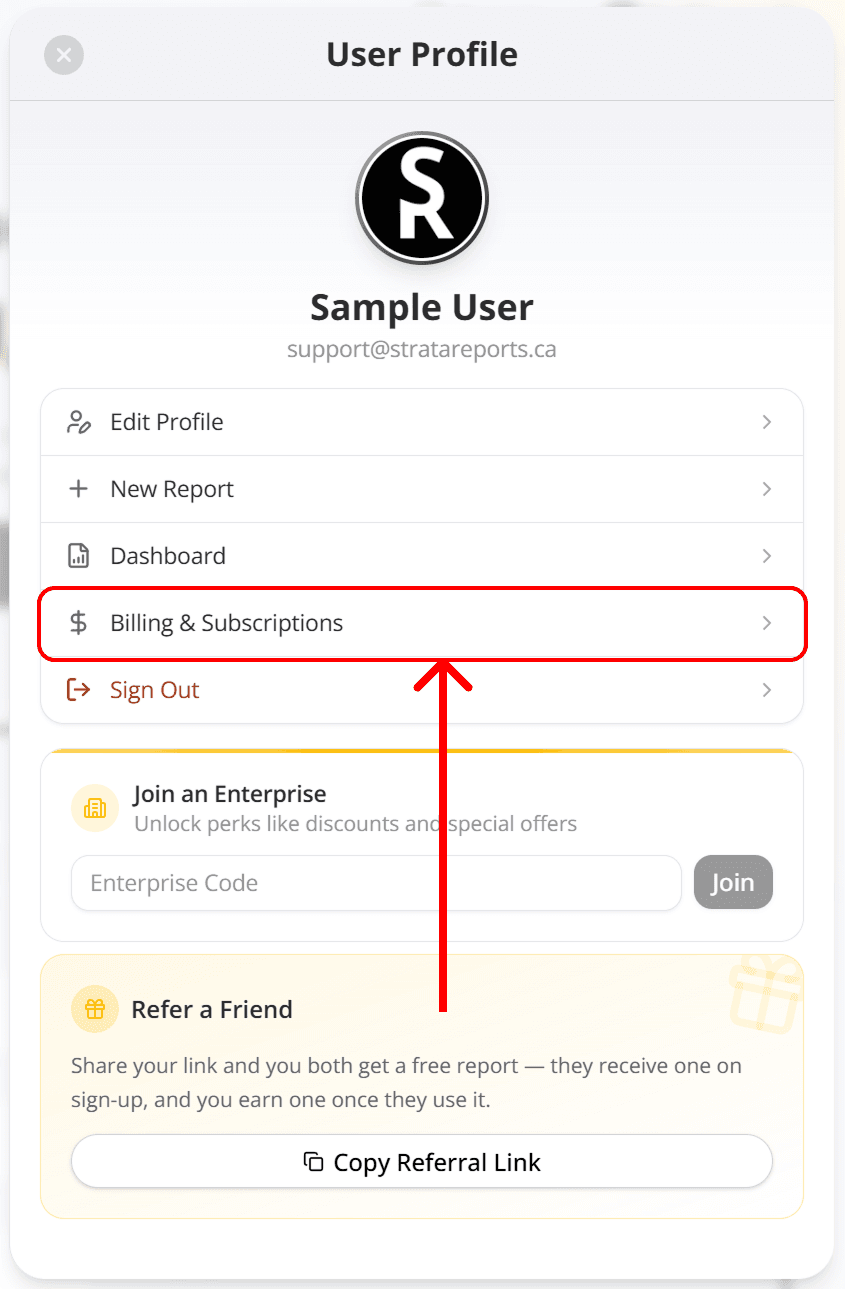
The profile panel, with the Billing & Subscriptions row highlighted.
Open the invoice or payment you want, then download it as a PDF.
Use the portal's back link to return to StrataReports.
What You Will Find There
The portal lists only the card purchases you made through StrataReports.
Receipts and invoices for those purchases, ready to download as PDFs.
No reports paid with credits. No card is charged, so Stripe creates no receipt.
Nothing at all if you have never paid by card. The Billing & Subscriptions row just closes the panel until your first card payment.
Credits and Subscriptions
Credits are not part of the Stripe portal. Your credit balance and subscription details sit in the profile panel instead.
Read about subscriptions and creditsFrequently Asked Questions
In the Stripe Customer Portal, not inside StrataReports. Billing & Subscriptions opens it in the same tab. Use the portal's back link to return.
Yes. View and download your receipts and invoices as PDF files in the Stripe portal.
Only card purchases made through StrataReports appear. Reports paid with credits charge no card, so Stripe creates no receipt. AutoProp purchases are billed on AutoProp's own account.
Stripe handles checkout, so the cards and wallets Stripe supports are accepted. You can save your card at checkout for next time.